How to Lovable MCP

The Lovable MCP docs
but actually easy.

Step-by-step walkthroughs for the things people actually want to do — with direct links to the source docs when you want the full story.

Integration

Connect Claude to the Lovable MCP

Talk to your Lovable project from Claude exactly like you would from inside Lovable.

  1. 1
    Go straight to the Lovable connector page in Claude's directory.
    claude.ai/directory/connectors/lovable
  2. 2
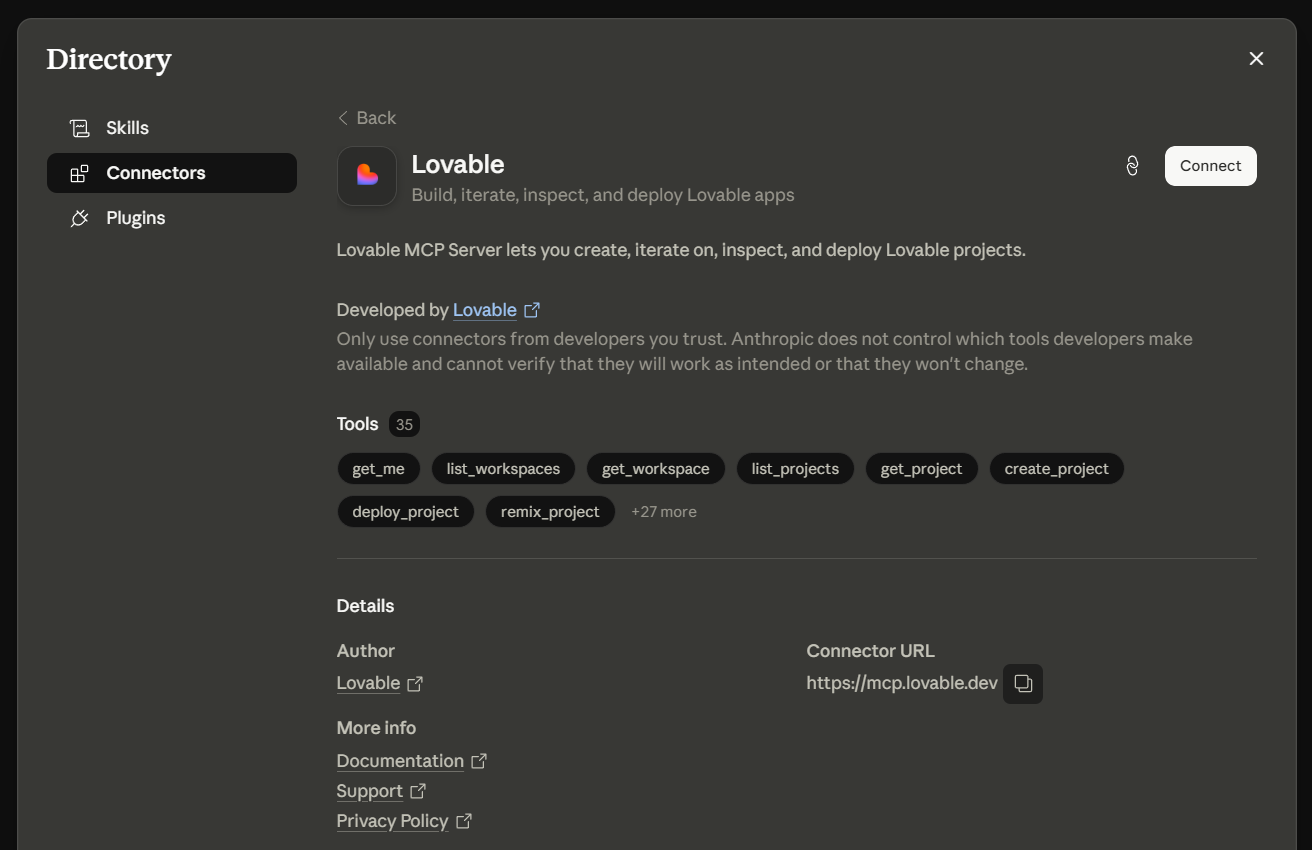
    Click Connect and authorize with Lovable. You'll need to hit Allow — make sure you're signed into the correct Lovable account or Claude will end up chatting with someone else's projects.
  3. 3
    Optional extra: Install the Lovable MCP skill in Claude. The skill helps Claude use the MCP a little better.
    Install the lovable-mcp skill
Lovable connector detail page in Claude's Directory with a Connect button in the top right
Click Connect and authorize with Lovable.
Credits are only spent on create_project and send_message. Everything else is free to poke at.
What is this

A free research intern for your project

This lets Claude see your project files, chat history, database, logs, and everything else so you're not explaining your app from scratch like a caveman drawing on a wall. Ideate, research, and refine your prompts for free — you only burn credits when you actually send a message or create a project.

  1. 1
    Best move: paste your project URL and tell Claude "use the Lovable MCP". It'll figure it out. Probably.